As I understand it (and according to the note in this HC article), the table style in a response template applies to the table format when exporting a whole section to a table, but NOT to a table within an answer field.
However, I am finding some unexpected results to tables within an answer field if a table style is selected upon export. See screenshots and more details below:
My answer looks like this in the application:
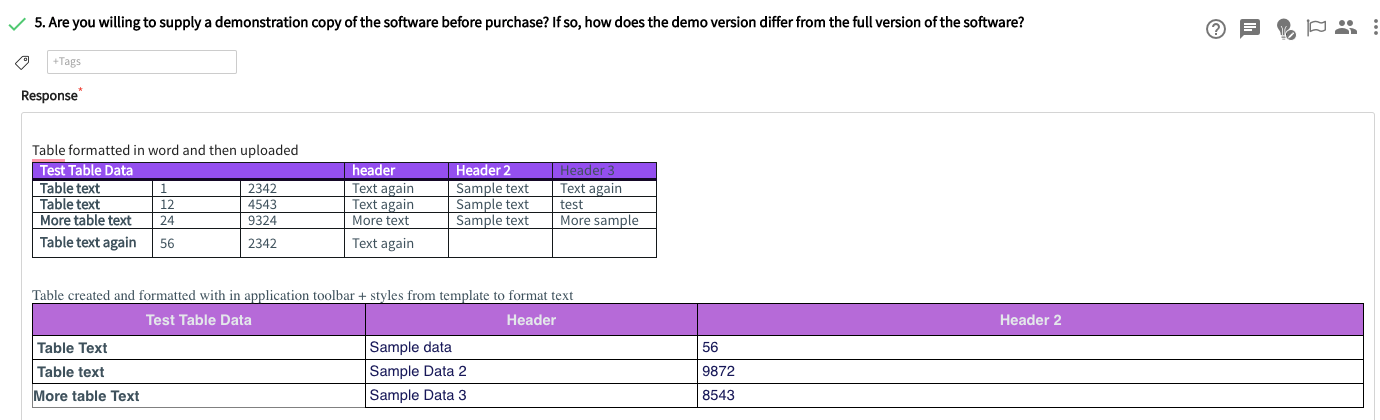
If I export to template with template font/family selected with no table style chosen, it comes out correctly for table one which was formatted using styles. Table two is changed to the answer style since no styles were applied. This is the expected outcome.
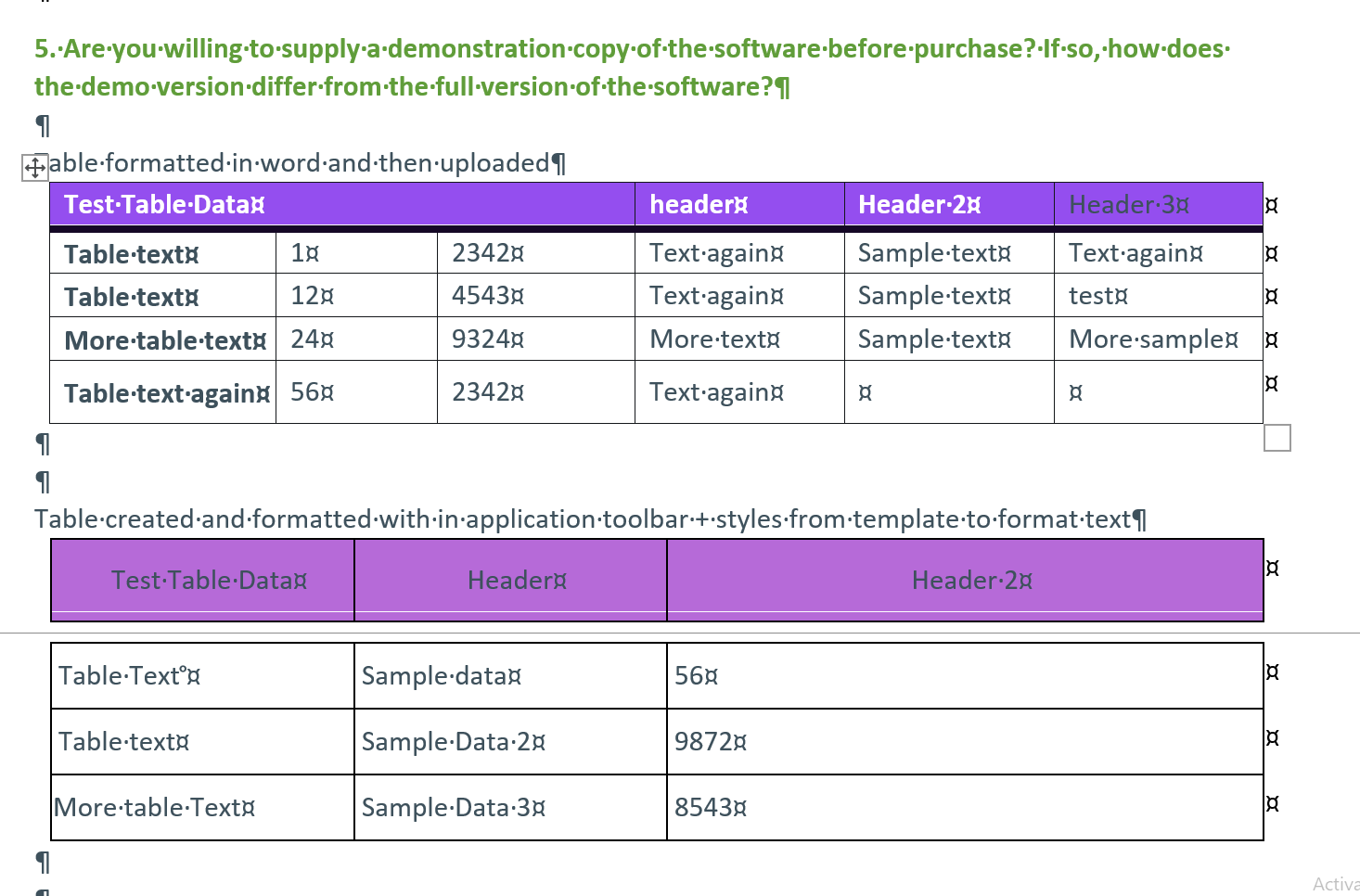
If, however, I export to template with template font/family selected but also map a table style, neither table comes out correctly. Both are impacted unexpectedly. In table 1, the header row is missing bold in the first column, and the bold is lost from the rest of column one, all cells in the table are now centered, and the borders have changed. The second table is also impacted.
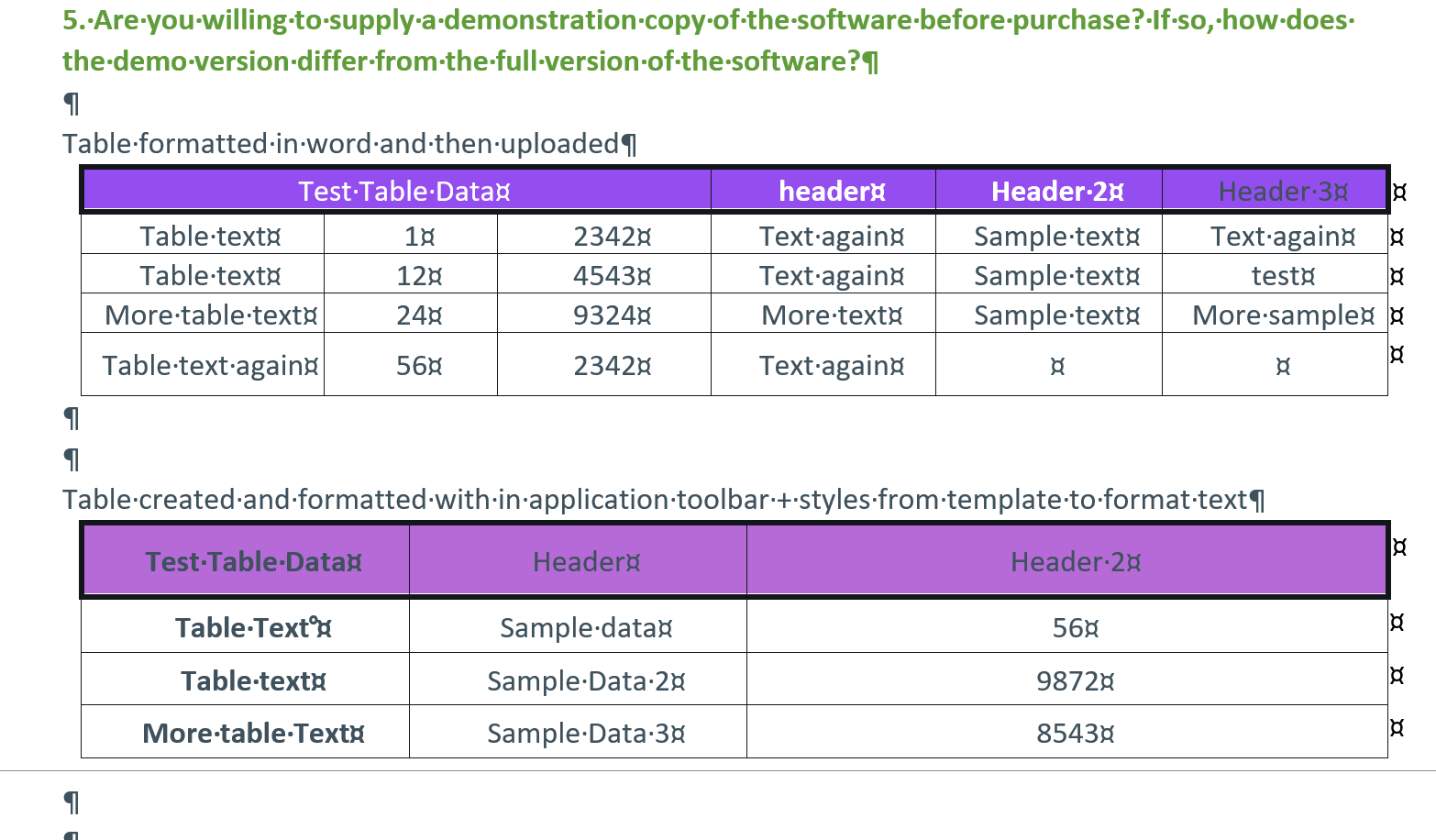
For reference, this is what the defined table style should look like:
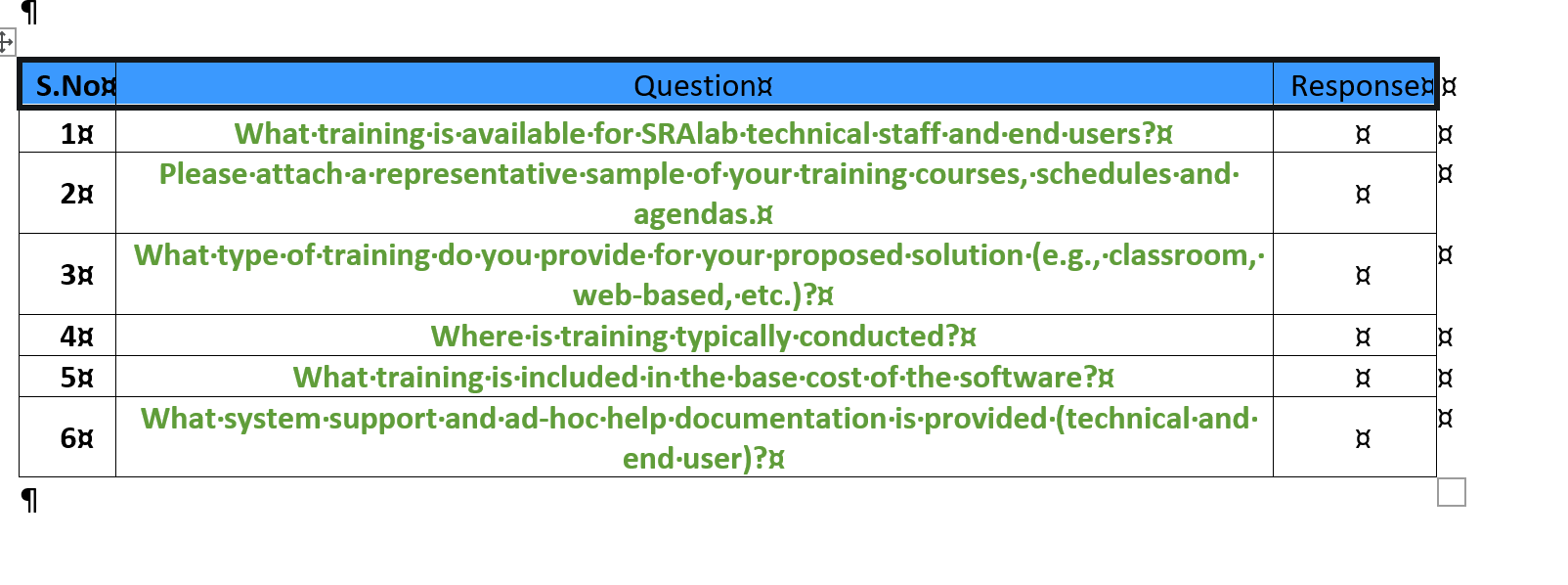
It appears to me as if some of the formatting is getting applied to tables in the answer block, but not all and it's not being applied consistently. I would think we would either want it to apply fully or not at all.
Created date : 2021-09-19
Votes : 0
![Photo of [Deleted User]](https://wa.vanillicon.com/v2/aa0bd3ce608512658e989fc1a425f1c3.svg)
