I’m submitting this enhancement idea on behalf of our strategic client, Microsoft.
Overview
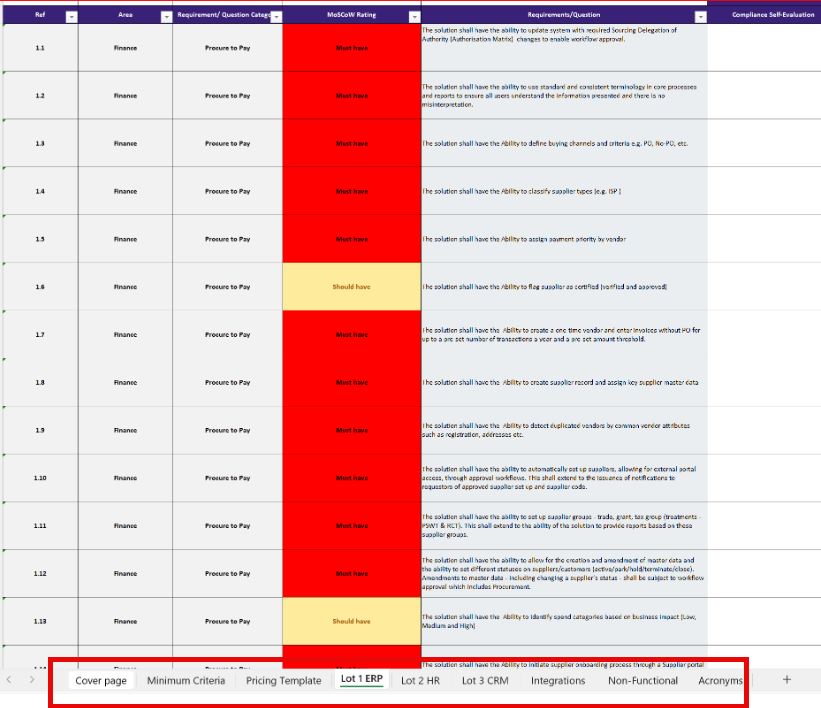
While using Guided Projects and when uploading complex Excel-based RFx projects containing many worksheet tabs, each with numerous sections, it becomes difficult for users to determine which section in the Apply Filters page corresponds to which worksheet.
These worksheet tabs are used to categorize the sections and questions within, providing critical context about how each section should be answered and which datasets or filters should apply.
Current Challenge
- Each worksheet/tab within an Excel RFP typically represents a distinct category (for example, Corporate, Implementation, Technical, Security), helping organize sections and questions by topic.
- These worksheet names convey essential context that determines which Datasets or Advanced Search filters should be applied in Guided Projects.
- Because Guided Projects does not support parent sections and sub-sections, users cannot map each worksheet/tab as a parent with sub-sections beneath it.
- As a result, all contextual information related to worksheet organization is lost upon project import, making it difficult to assign the correct filters later.
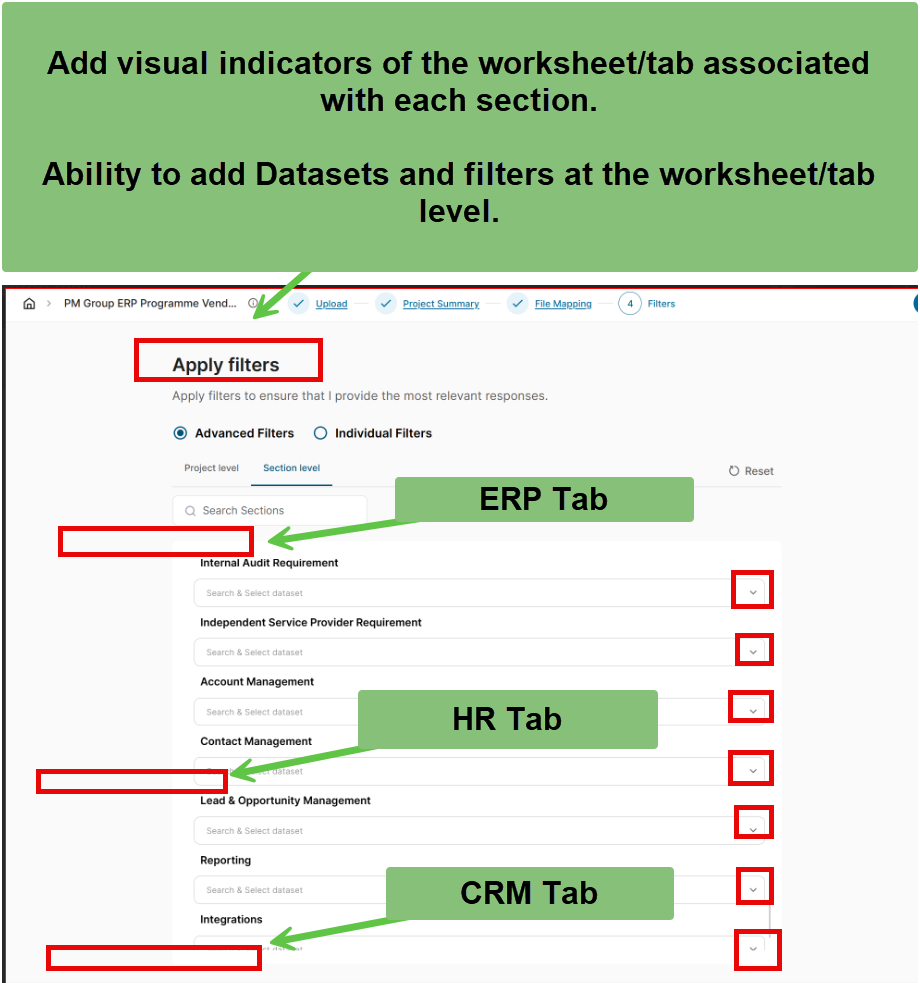
- On the Apply Filters page, sections are listed only in sequential order with no indication of their originating worksheet.
- Users must manually cross-reference each section in the Excel file to assign appropriate datasets or filters, which is slow, tedious, and prone to error, especially in large RFPs with hundreds of sections.
Proposed Enhancement
- Automatically detect and display the Excel worksheet/tab names on the File Mapping → Apply Filters page.
- Group and visually indent sections under their corresponding worksheet/tab names for clarity.
- Allow users to select Datasets or Advanced Search filters at the worksheet/tab level, such that:
- The selection automatically populates all sections under that worksheet.
- Users retain the ability to further customize filters at the section-level if needed.
Expected Impact
- Preserves the original structural context from Excel, ensuring that category-based logic is maintained and referencable within Guided Projects.
- Saves significant time by eliminating the need for manual cross-referencing between Excel and the UI.
- Improves dataset and filter accuracy by aligning project sections with the appropriate worksheet category filters.
- Enhances user confidence and efficiency, especially for large RFx projects managed across multiple teams.
Thank you to the Product Team for your time and consideration. Please reach out if any further clarification is needed.
@Gosia Rios for visibility.