I’m submitting this enhancement idea on behalf of my strategic client Microsoft.
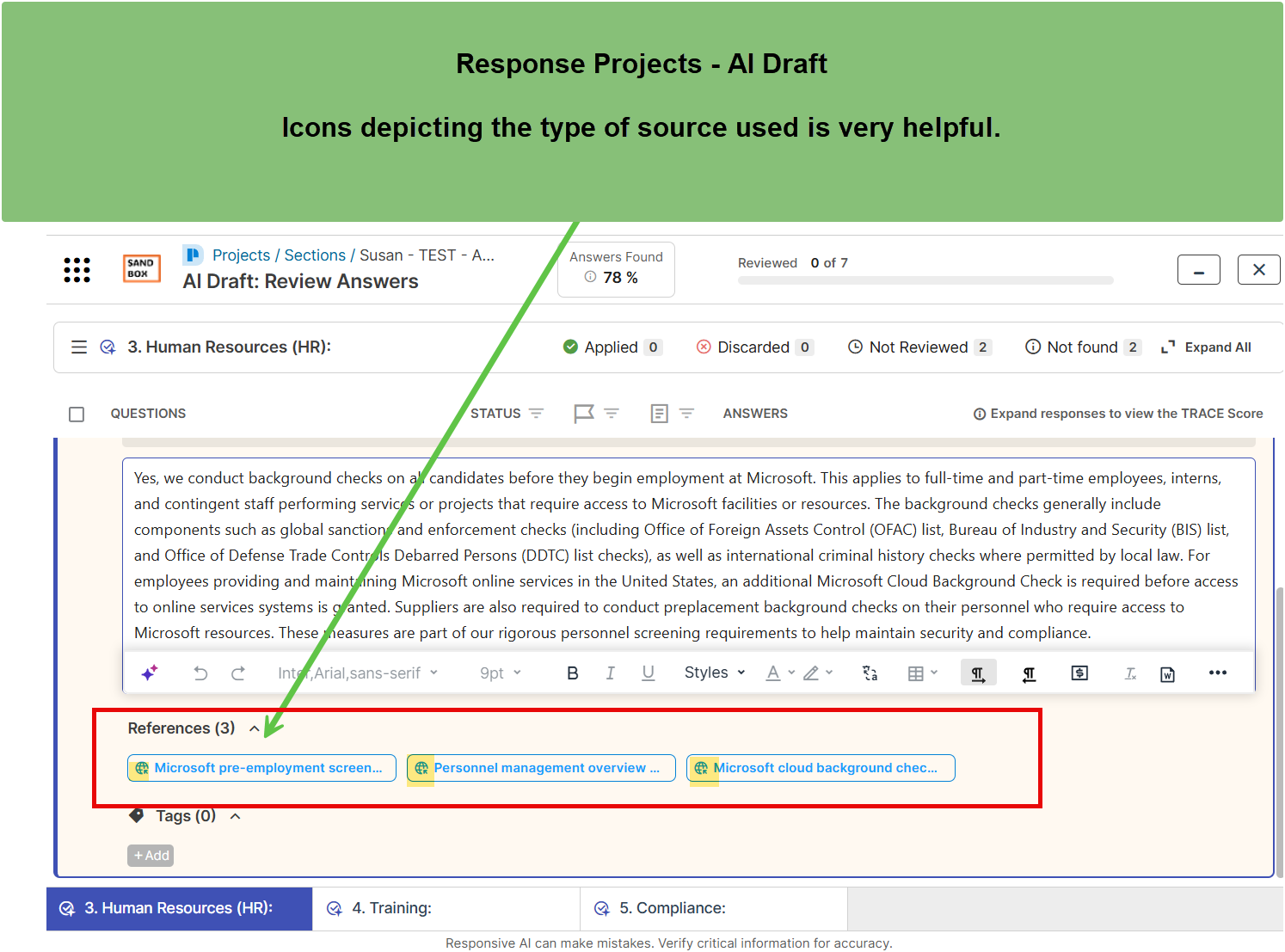
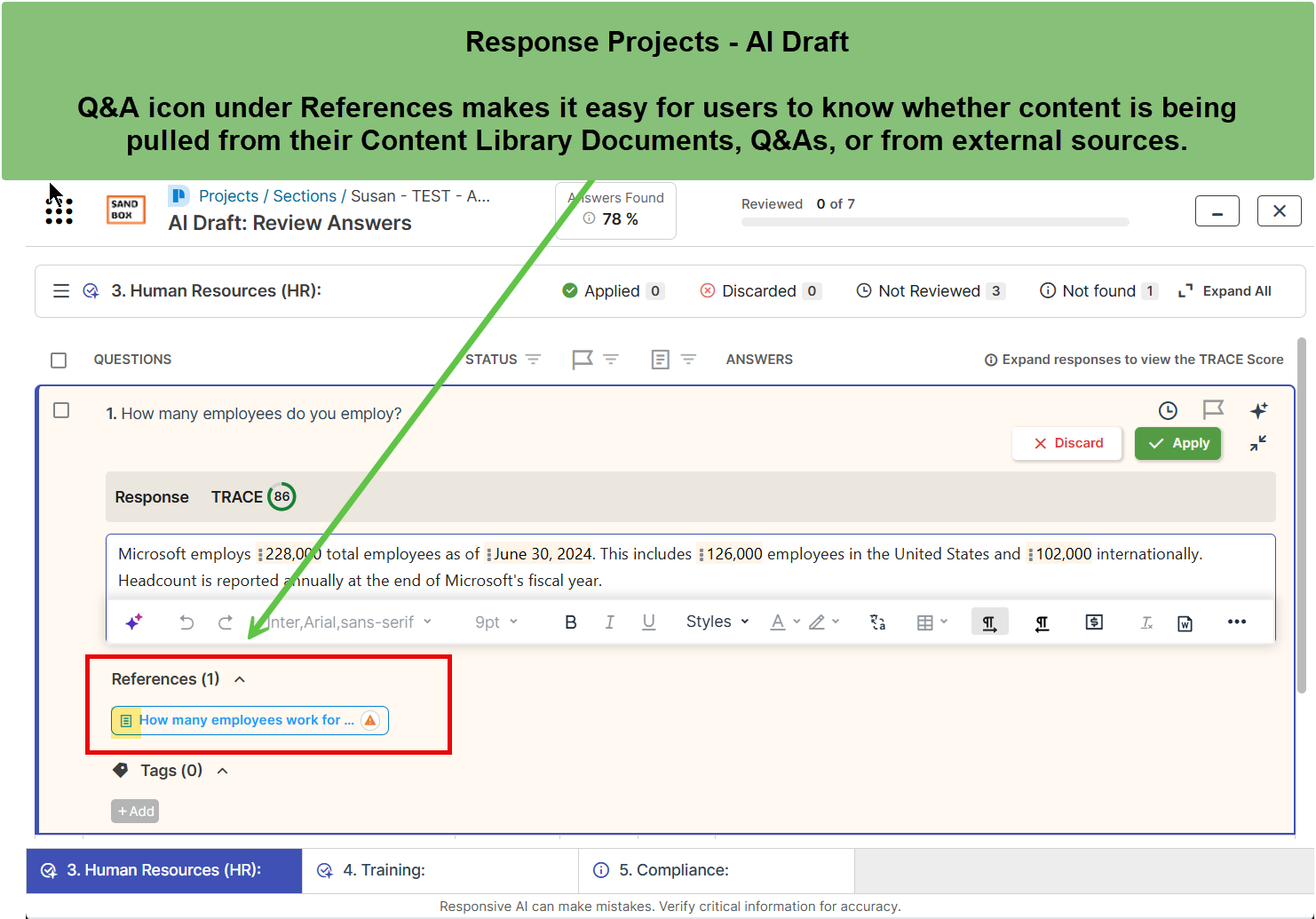
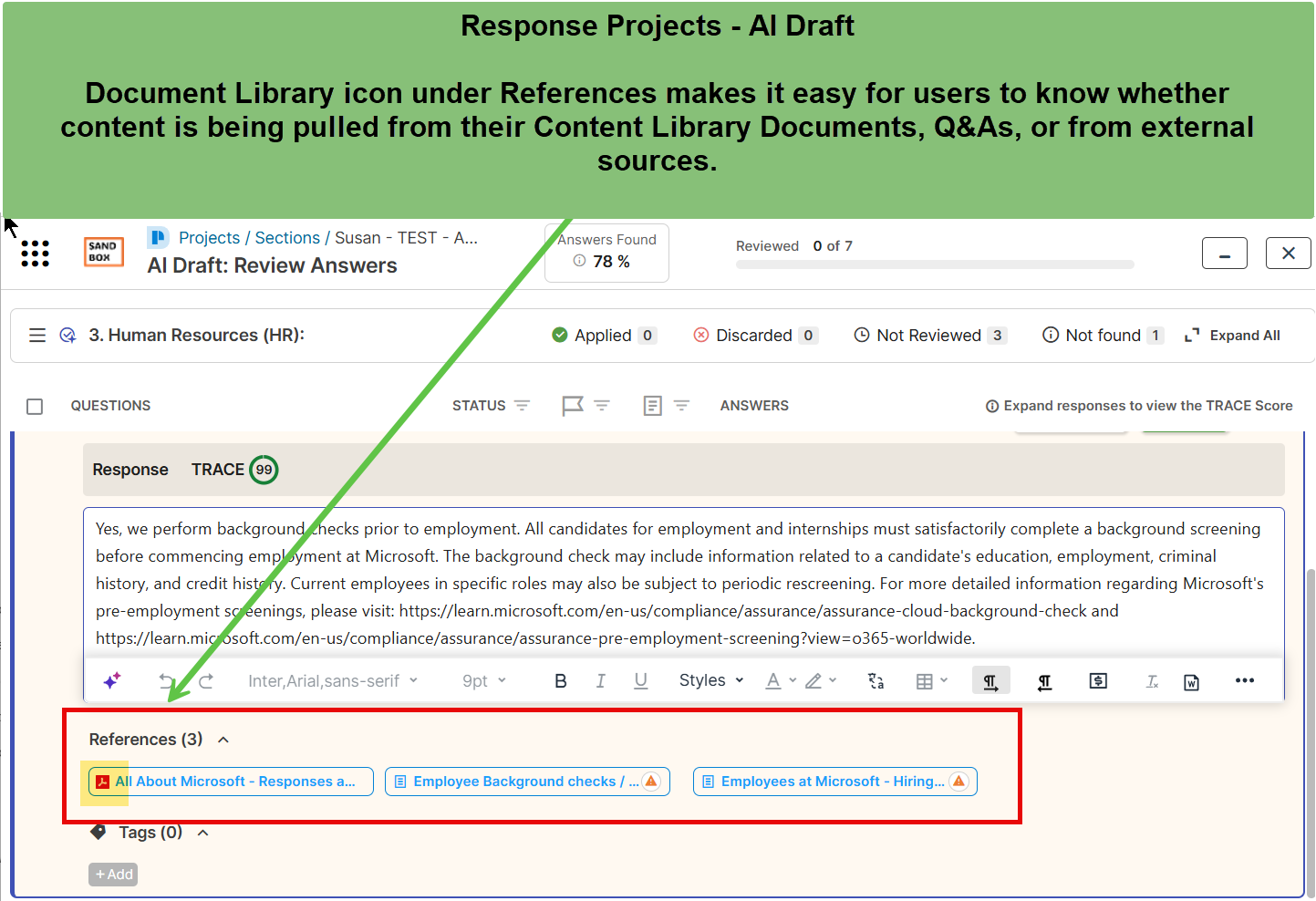
Overview• Microsoft requests that Guided Projects include visual indicators to identify the source type of each reference used in AI-generated responses.• The enhancement would provide consistent icon indicators for all source types, including Content Library Q&A Pairs, Content Library Documents, and External Sites.• The goal is to achieve parity with AI Draft, which already displays clear visual icons that help users easily recognize the origin of each source.
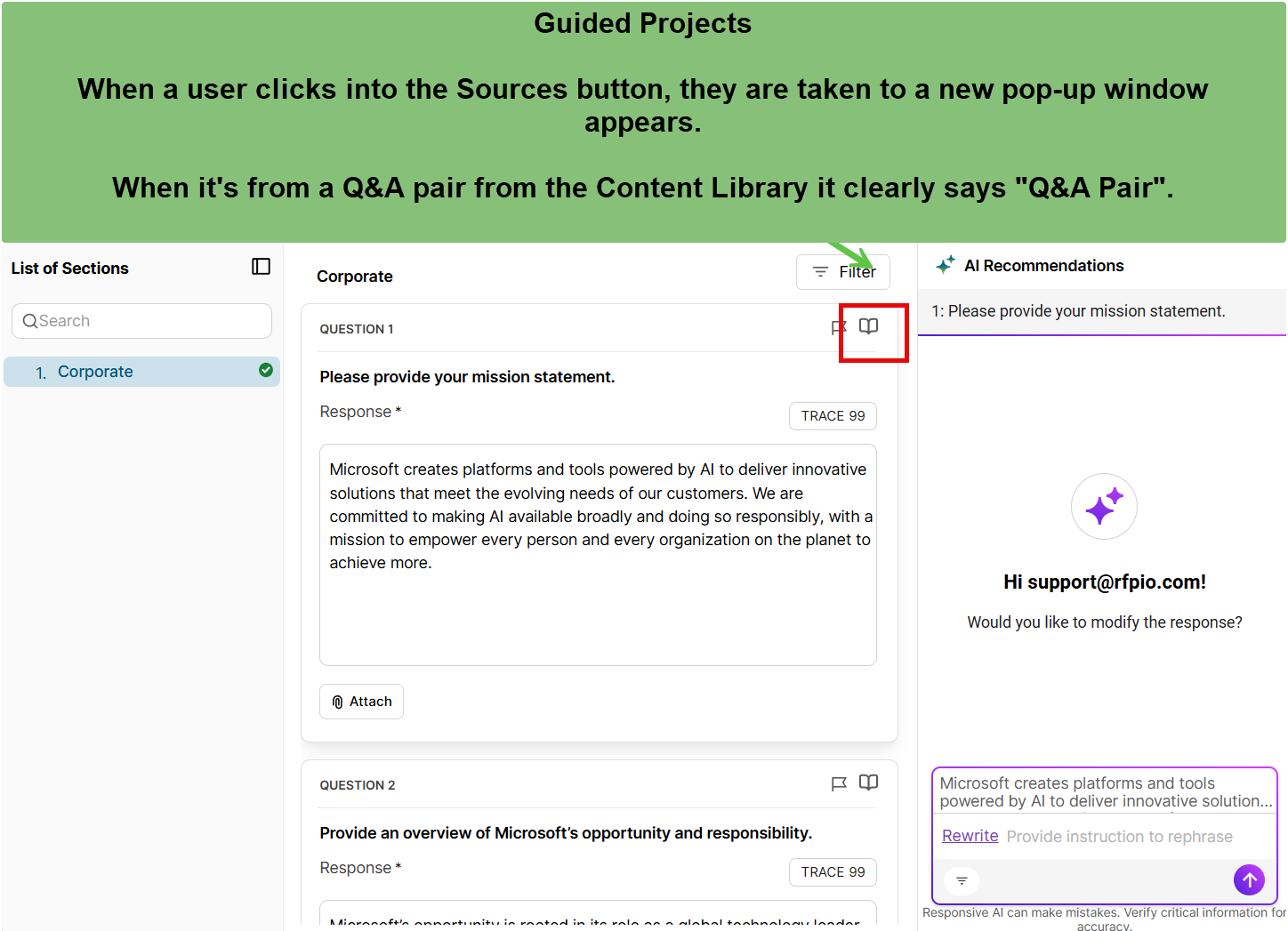
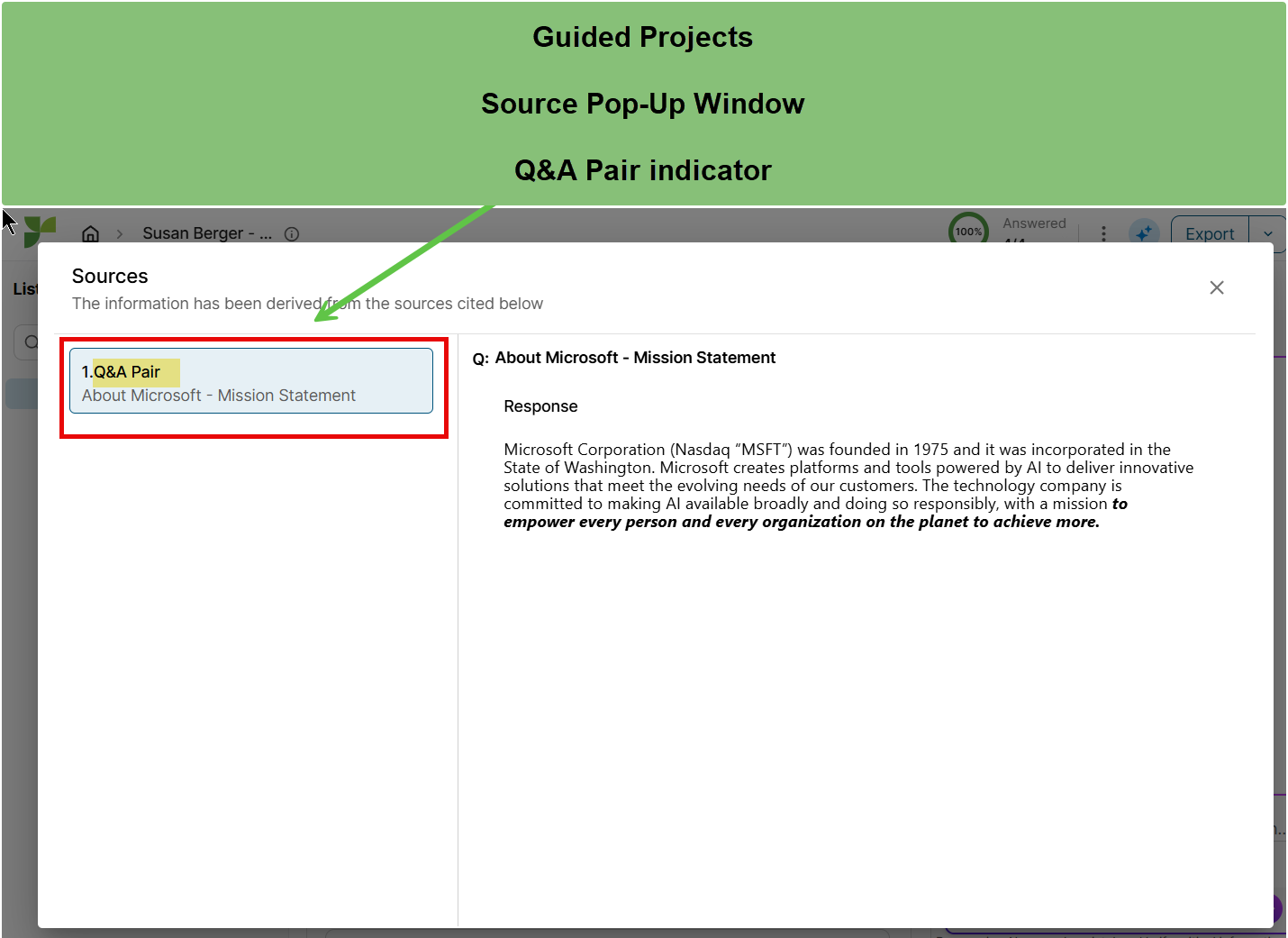
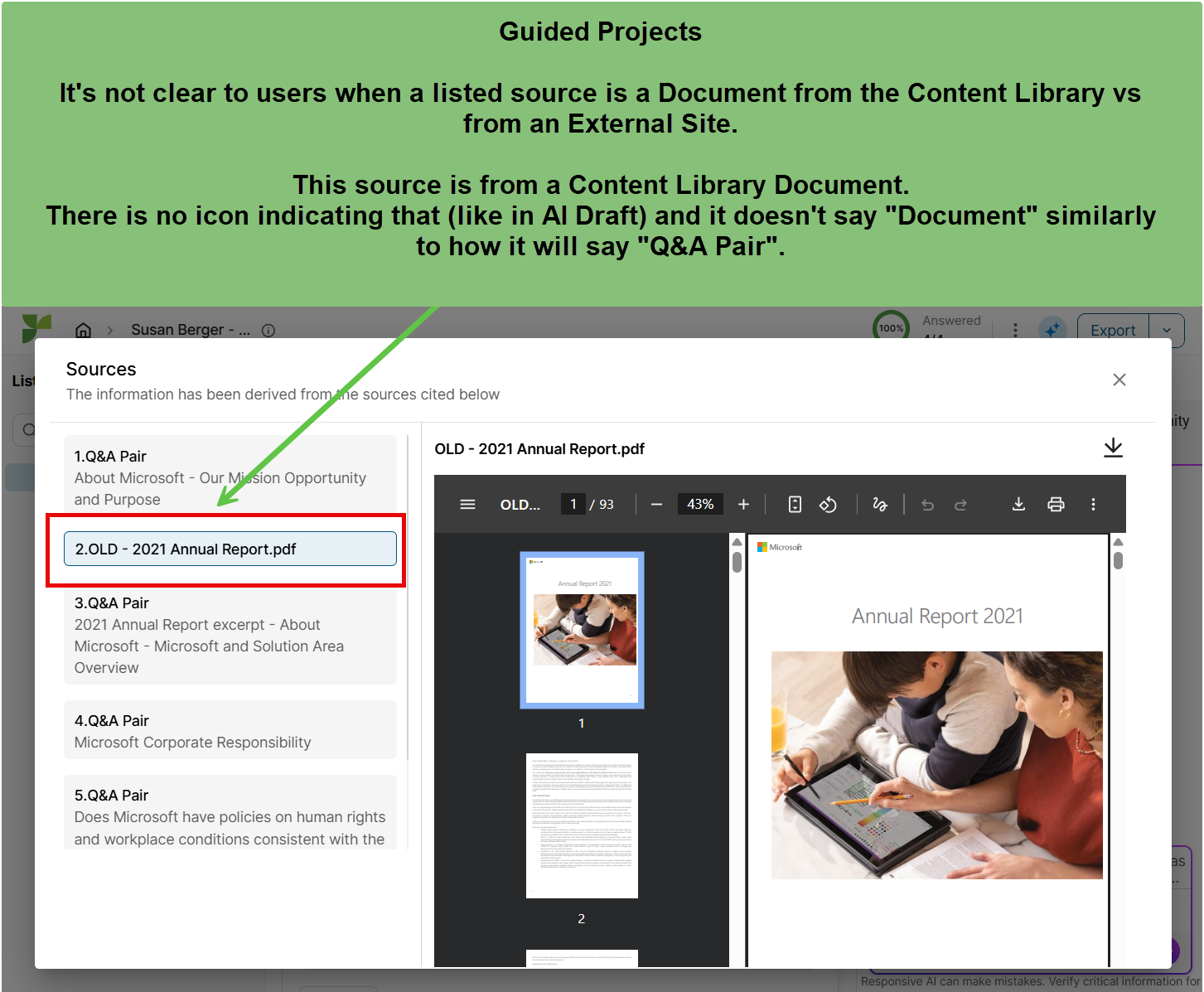
Current Challenge• When reviewing sources within Guided Projects, users cannot easily determine where content originates.• Clicking into the source icon currently reveals a list of references without any visual indicators to distinguish between Q&A Pairs, Documents, or External Sites.• While AI Draft clearly displays icons for each source type, Guided Projects lacks this functionality, creating an inconsistent experience across AI modules.• Microsoft users report confusion and difficulty validating AI-generated responses without knowing the source type.
Proposed Enhancement• Introduce visual icon indicators in Guided Projects to represent each source type, mirroring the design and functionality found in AI Draft.• Ensure consistent labeling and iconography across modules for the following sources:
- Content Library Q&A Pairs
- Content Library Documents
- External Sites
Expected Impact• Improves clarity and transparency in Guided Projects by helping users easily identify where AI-generated content originates.• Creates parity and a more consistent user experience across AI Draft and Guided Projects.• Enhances user confidence, accuracy verification, and adoption of AI-driven features within Microsoft’s workflows.
Thank you to the Product Team for your time and consideration. Please reach out if any further clarification is needed.
Please see screenshots as evidence:
@Gosia Rios for visibility.