Team -
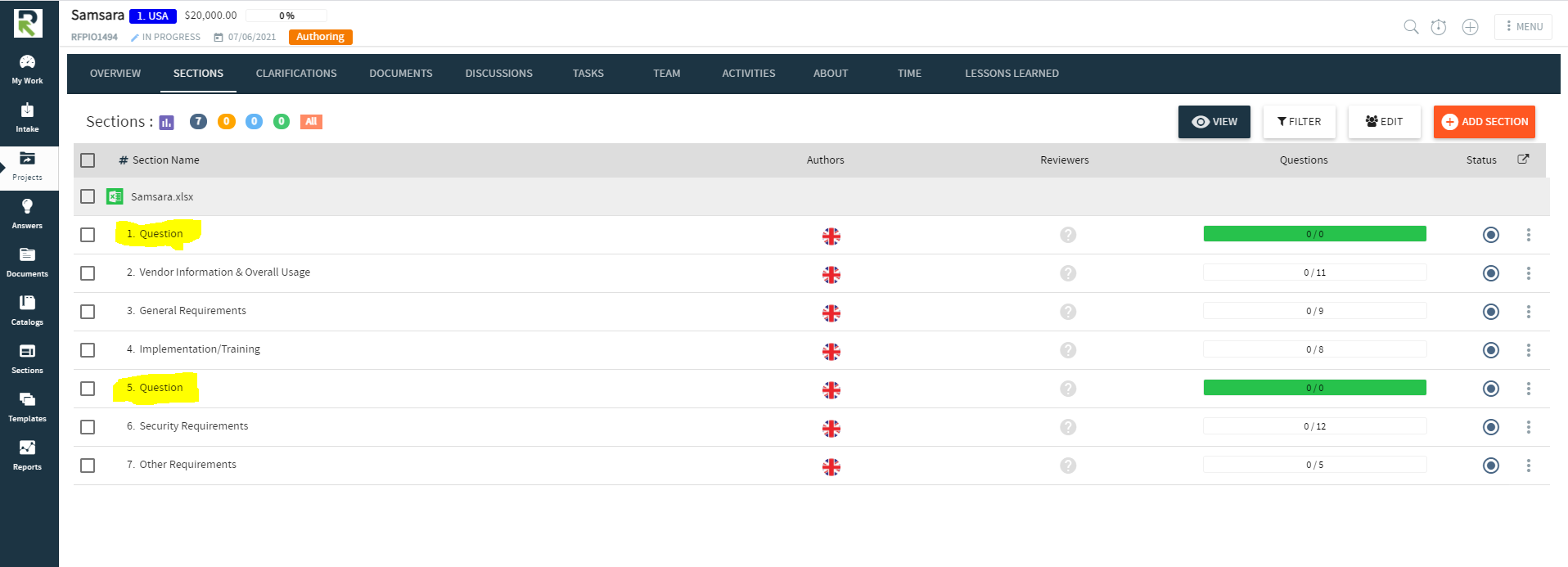
When I import a two-tab Excel questionnaire that I use regularly in demos, the Lightning Import initially appears to work very well - very impressive on demos. However, after completing the import, in the Sections view, two additional sections labeled "Question" are getting introduced: See highlighted below
When you look at the import configuration, you see just a section called "Question" in the table of contents (and, why just one, not both of them?):
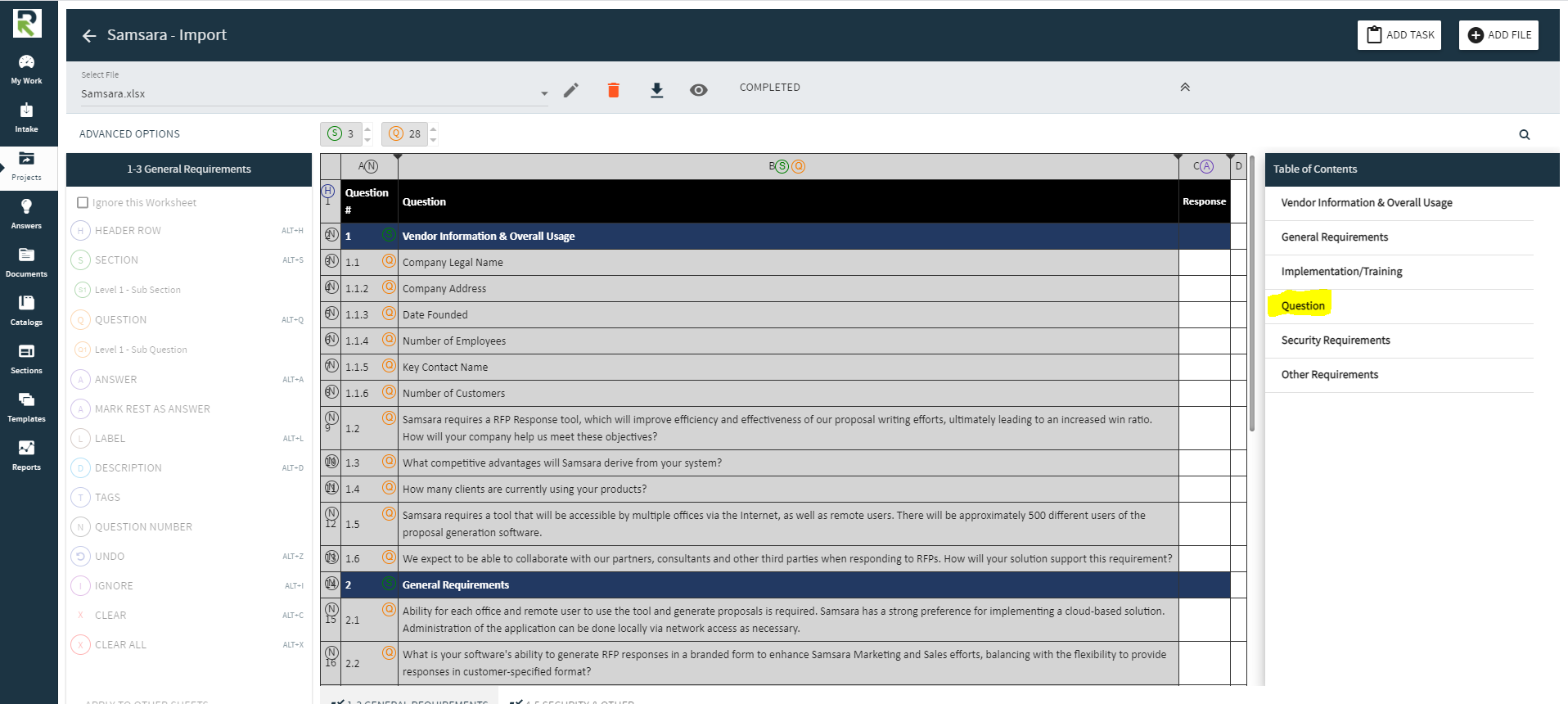
Then, if you click on "Question" in the Table of Contents panel - which normally highlights the equivalent section in the import file, the "Question" label disappears:
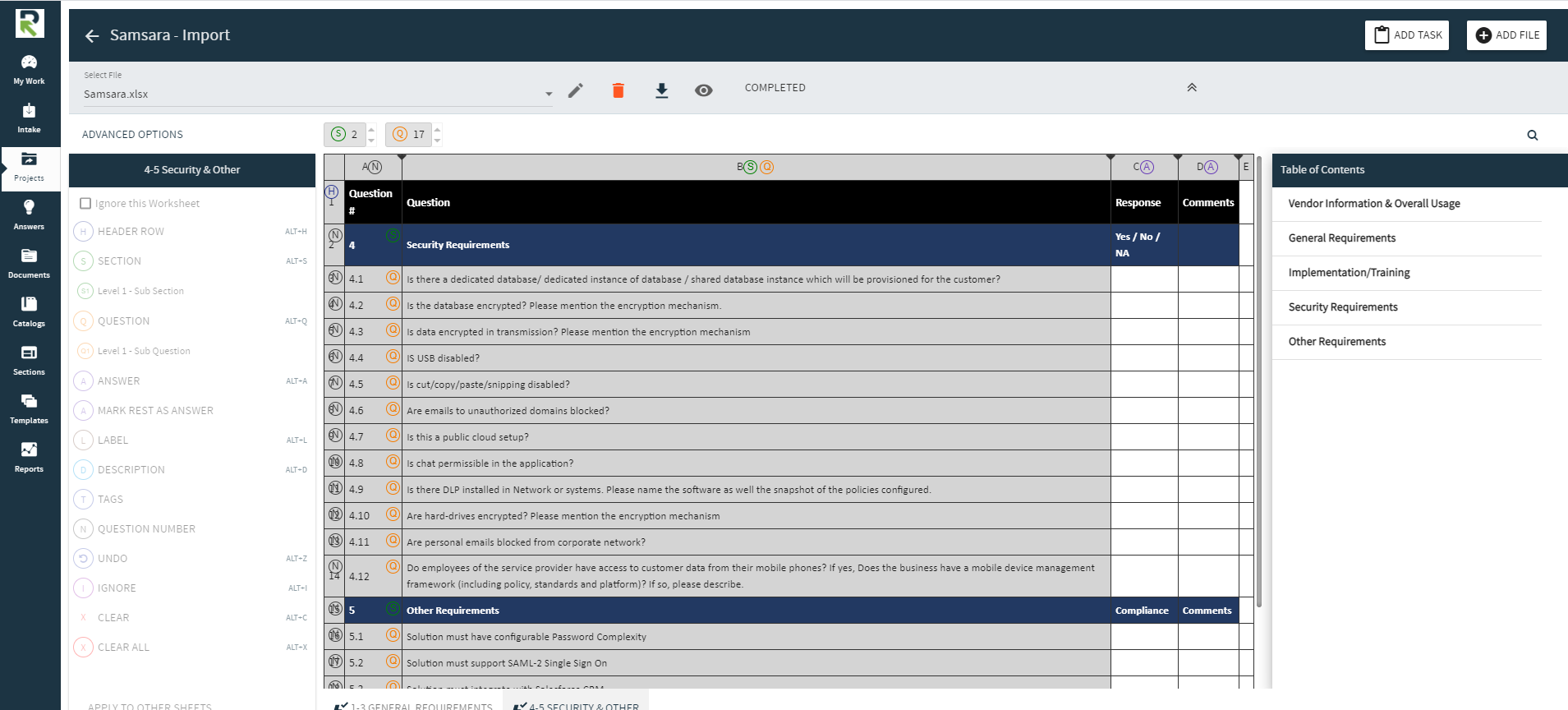
When you manually perform the configuration, it operates correctly.
So, it looks like the AI is doing something wrong. It seems to be adding the "Question" label from the Header Row as a section. It does the same thing every time I import the spreadsheet, and doesn't seem to learn from my corrections.
Can I "unteach" it somehow? (I was thinking of grounding it for the weekend if it didn't behave better, but, just like my teenage kids, it doesn't seem to take any notice...)
Created date : 2021-06-11
Votes : 0
