I’m submitting this enhancement idea on behalf of our strategic client, Microsoft.
Overview
Microsoft supports thousands of Responsive users and is actively promoting the adoption of the Guided Projects solution.
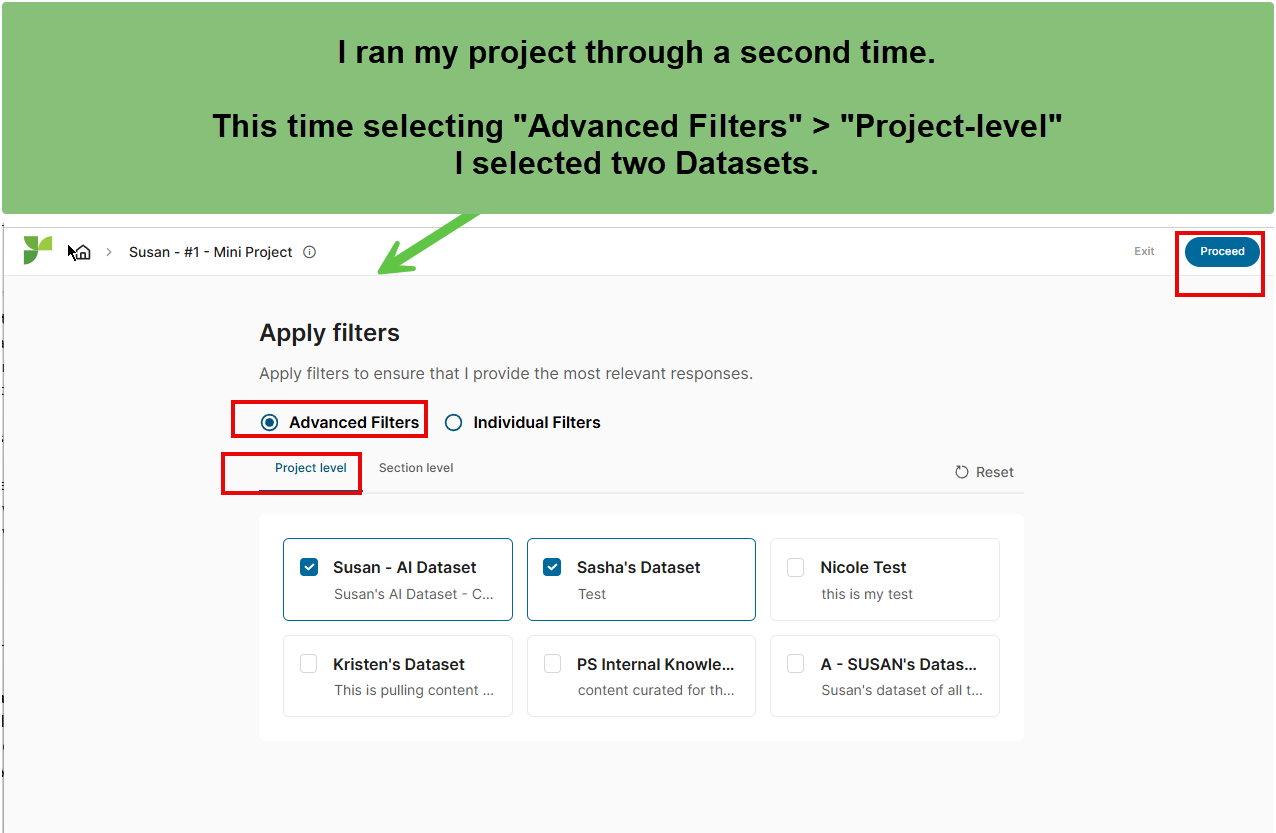
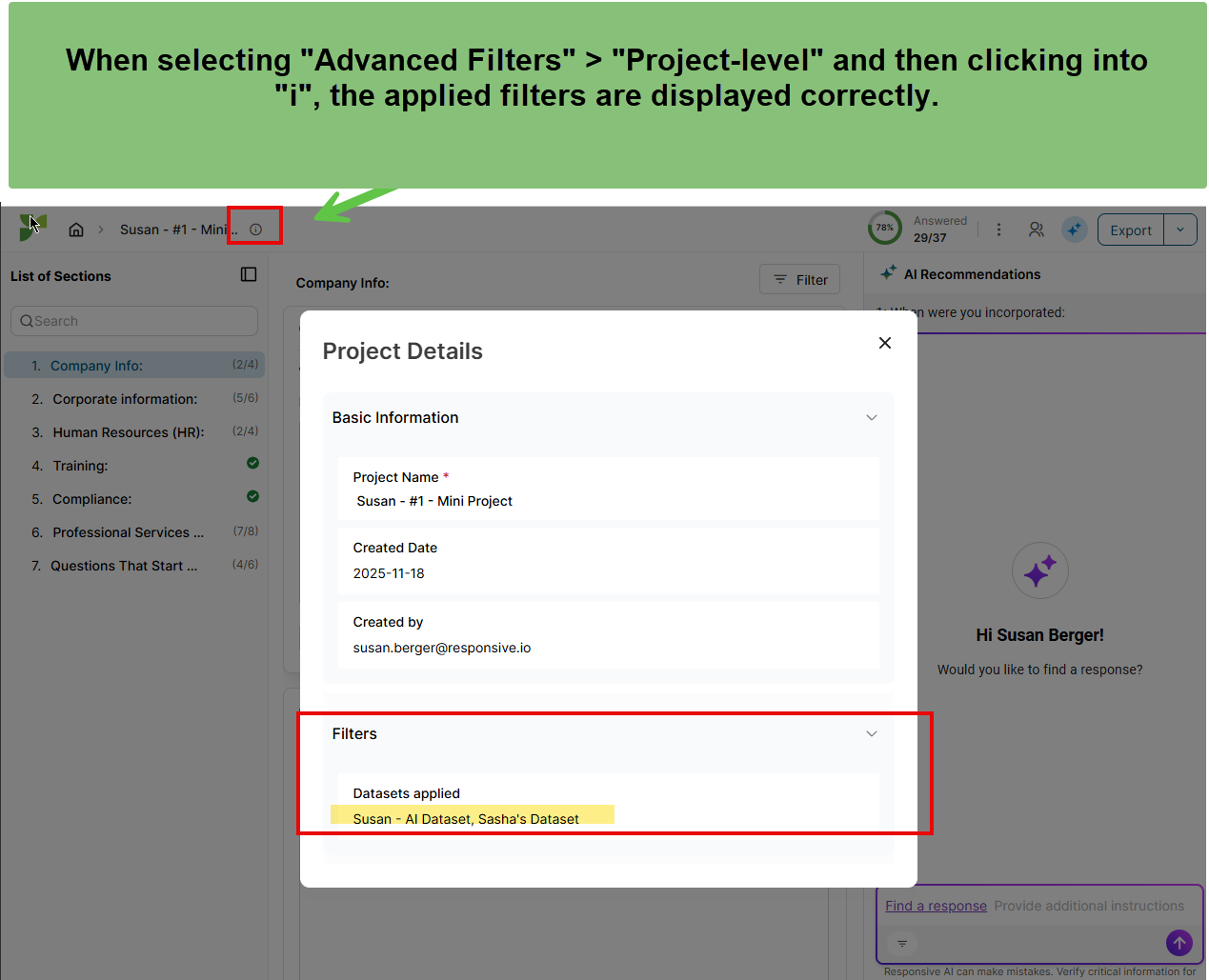
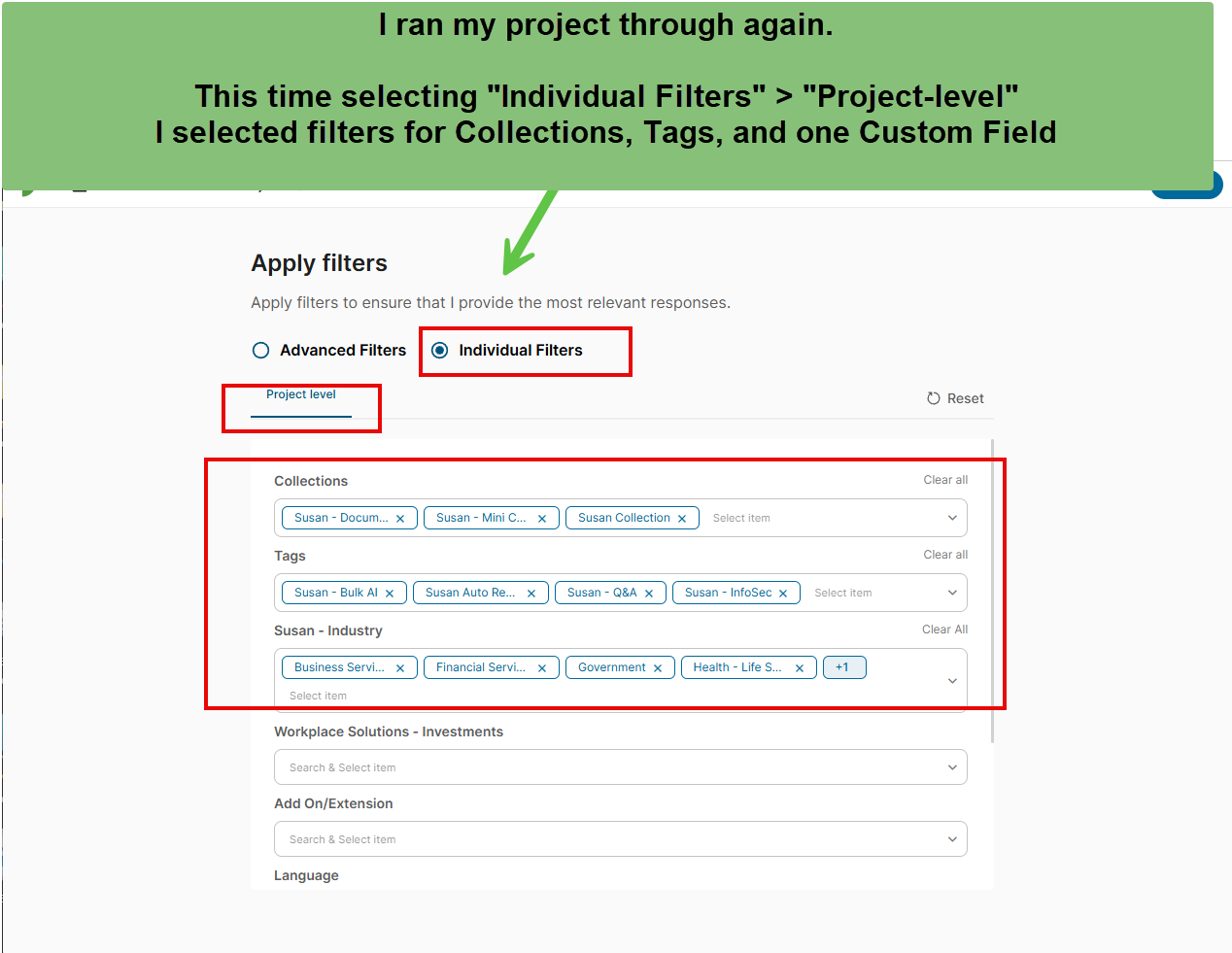
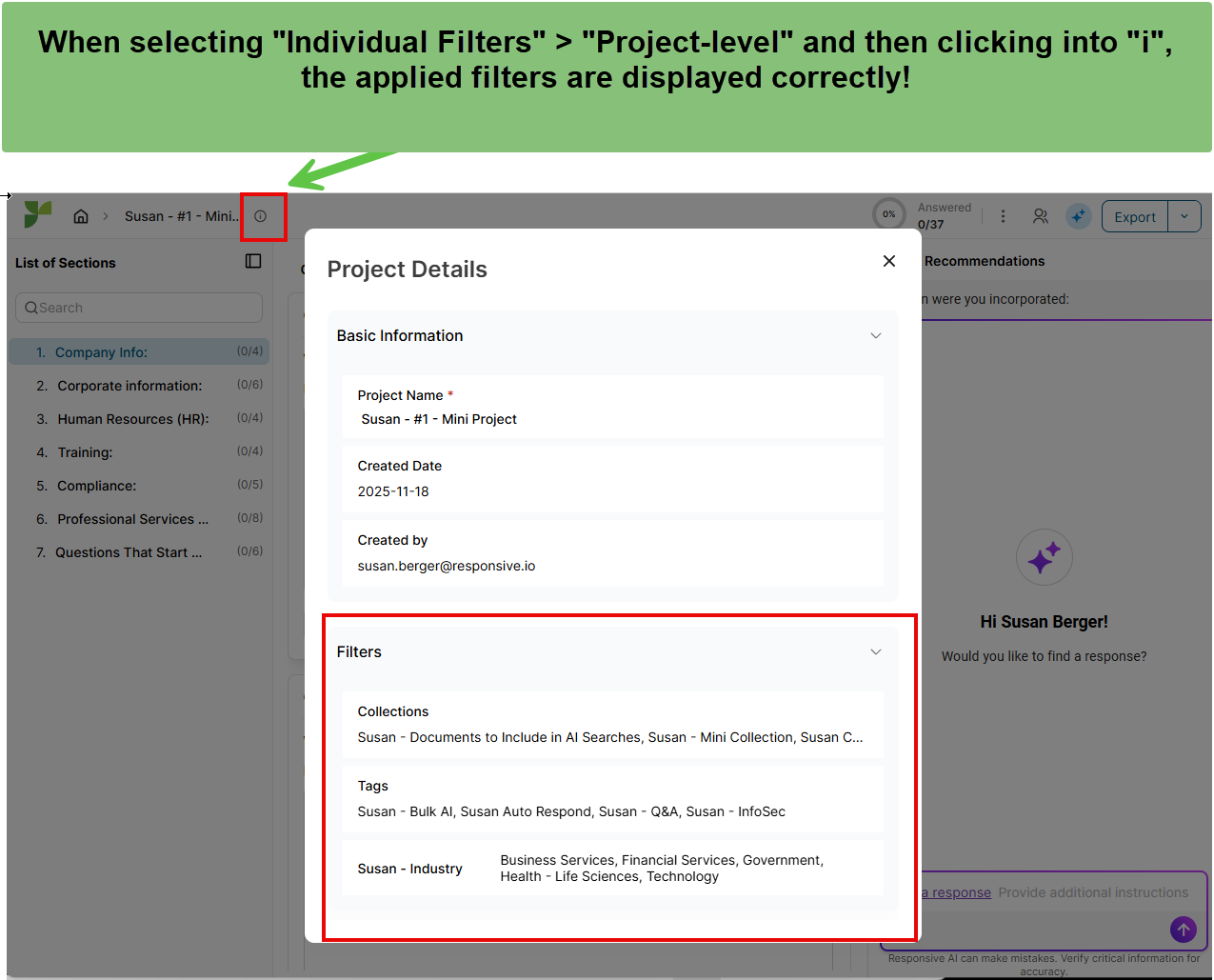
To improve transparency and trust in AI-applied responses, they are requesting new functionality that allows users to view how the source document was mapped and which filters were applied, after Guided Projects has generated answers, without losing existing responses.
Current Challenge
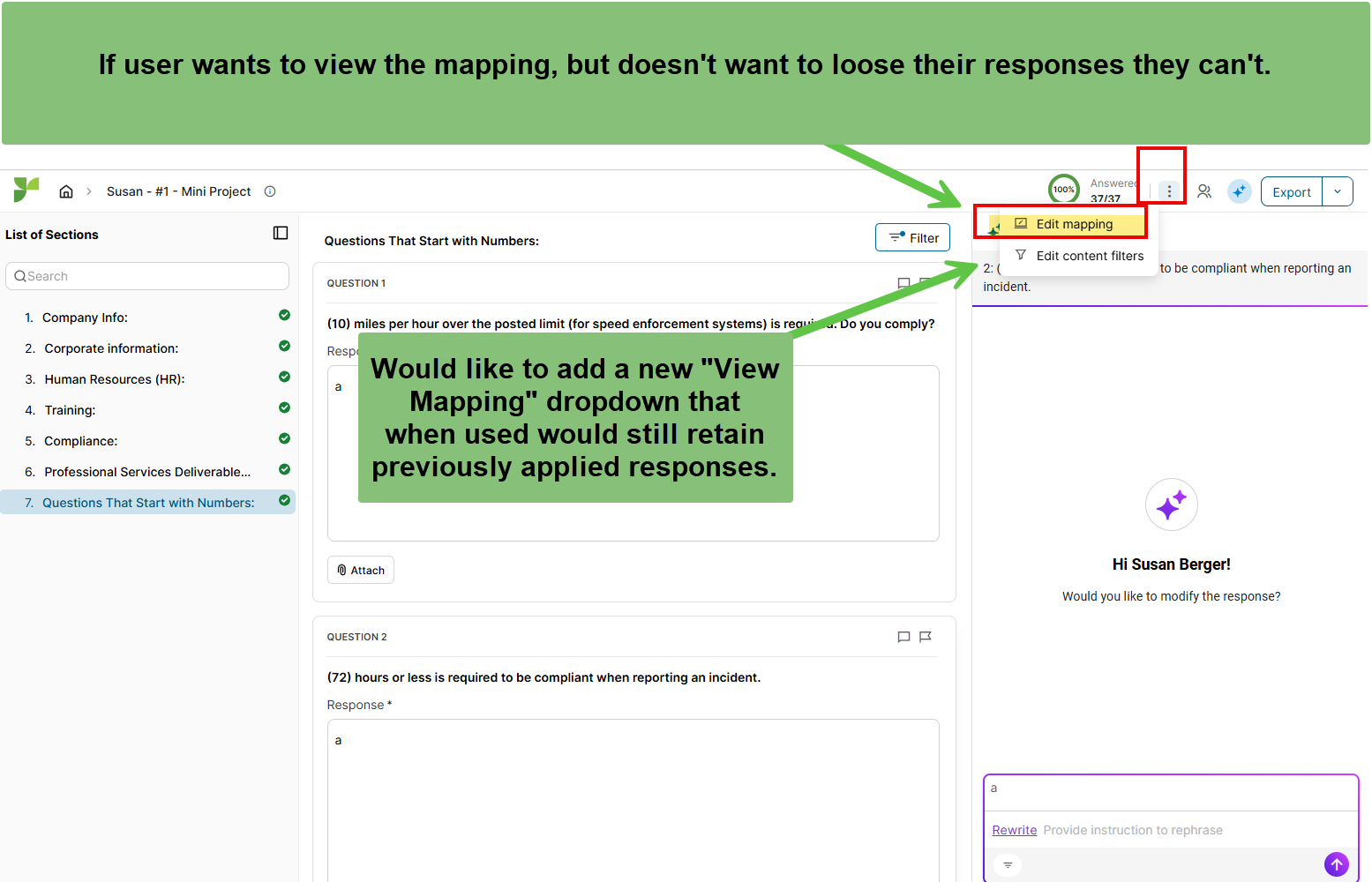
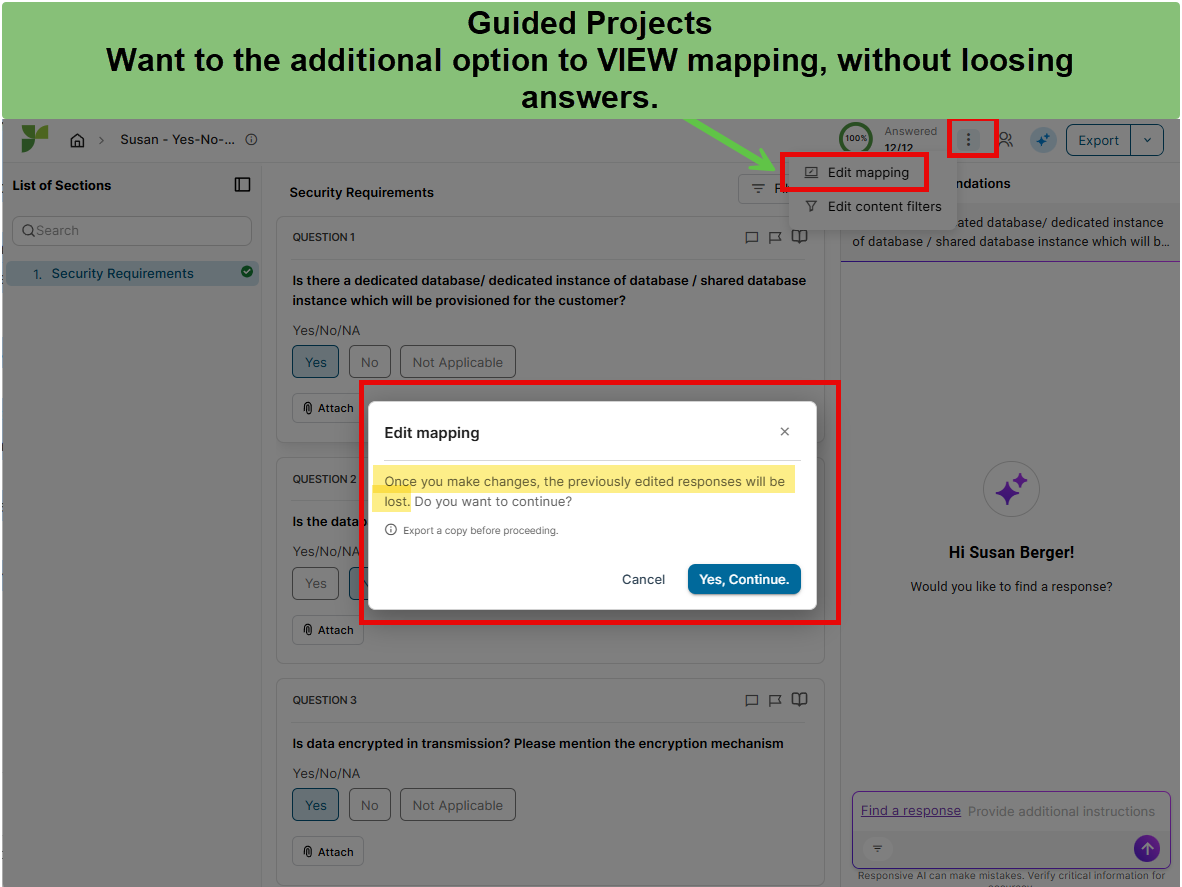
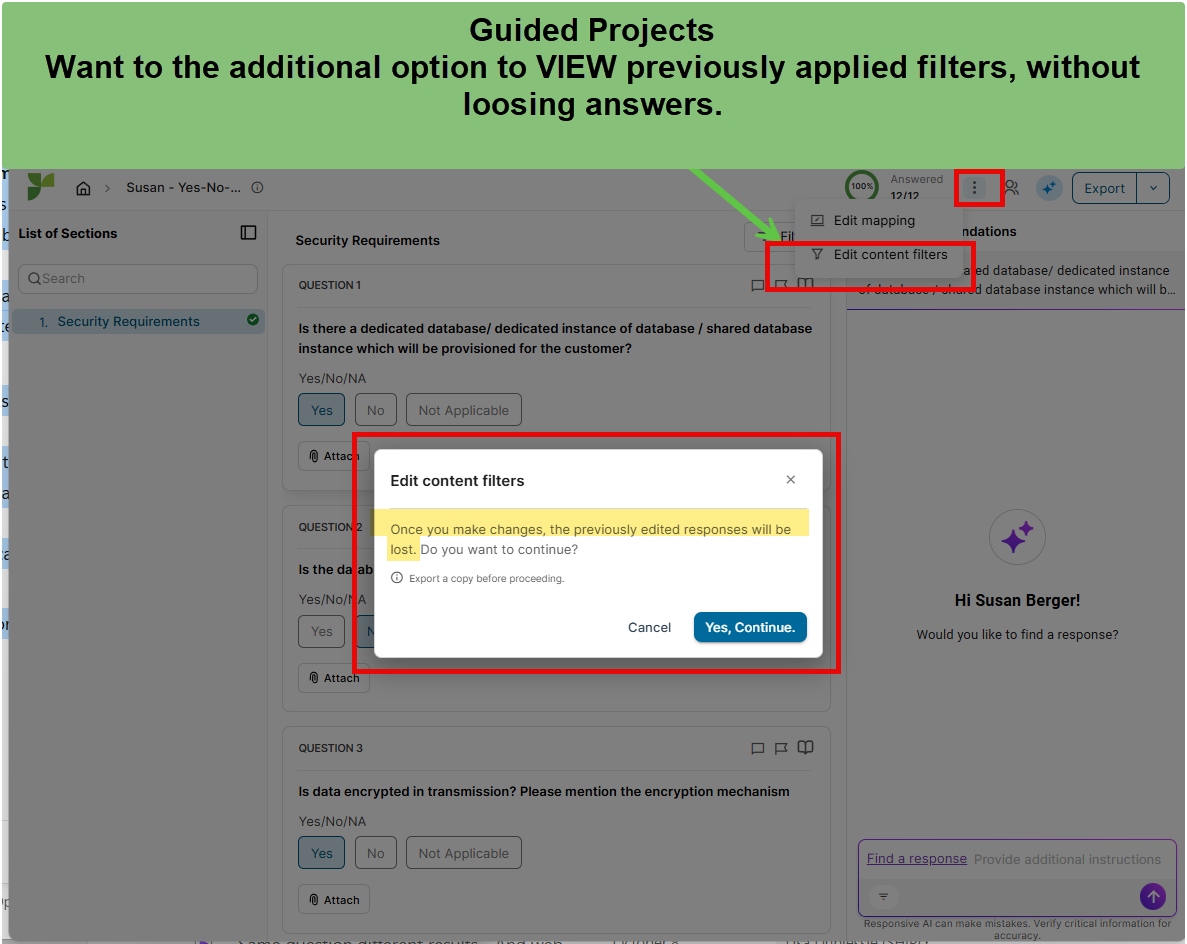
- After Guided Projects applies answers, users currently have two options: Edit Mapping or Edit Content Filters.
- Selecting either option immediately removes all previously applied answers, forcing users to start over.
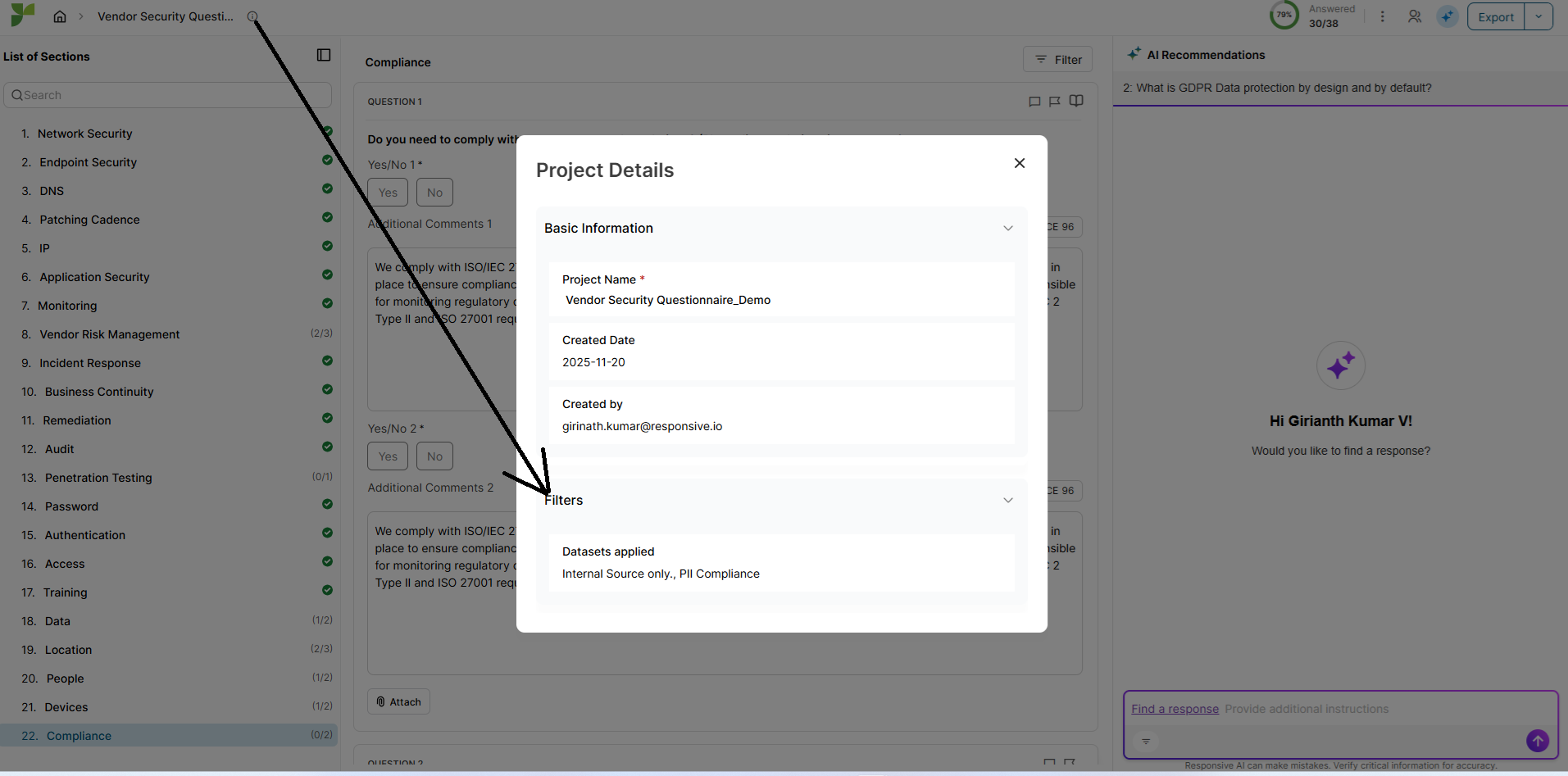
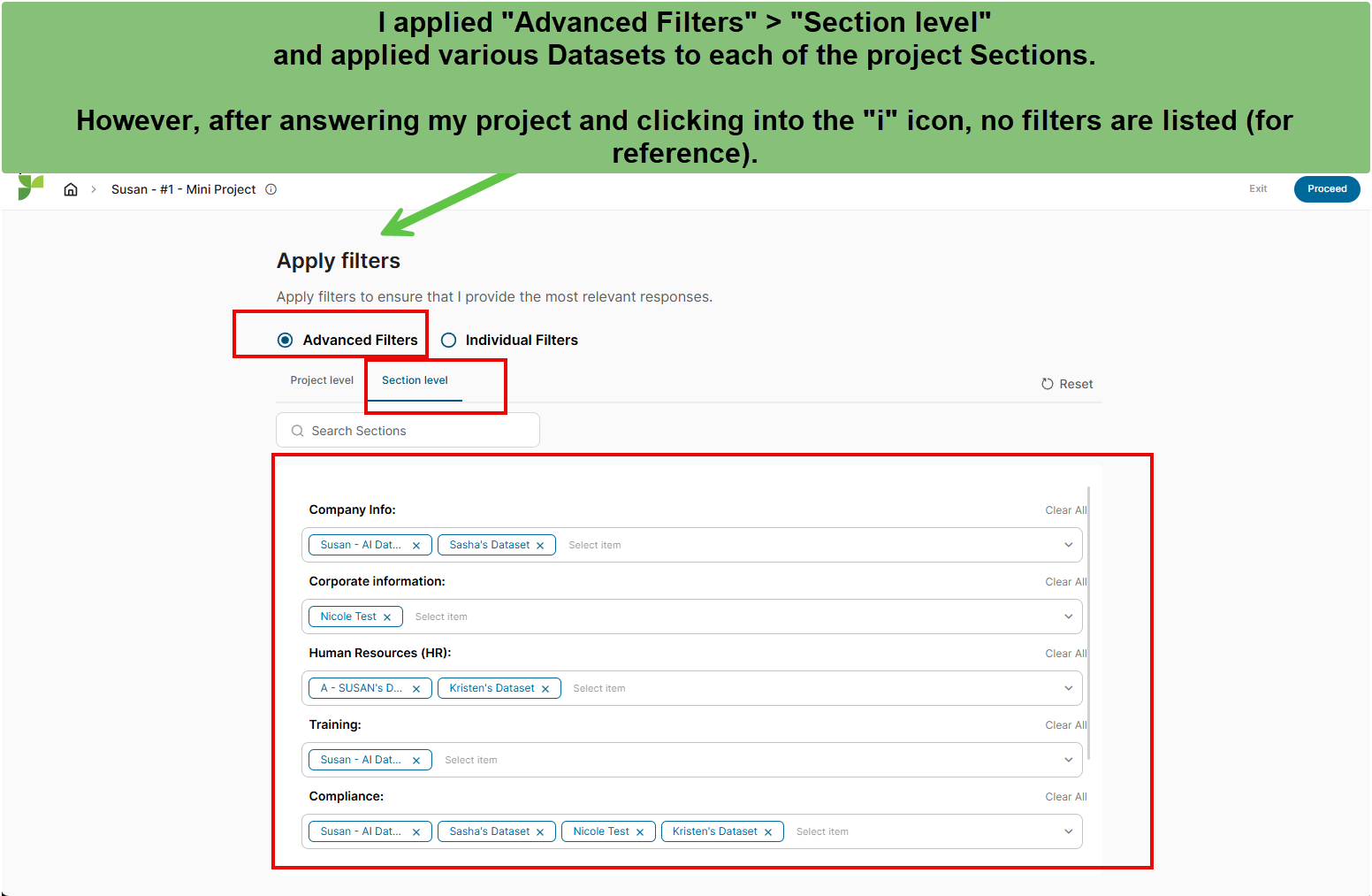
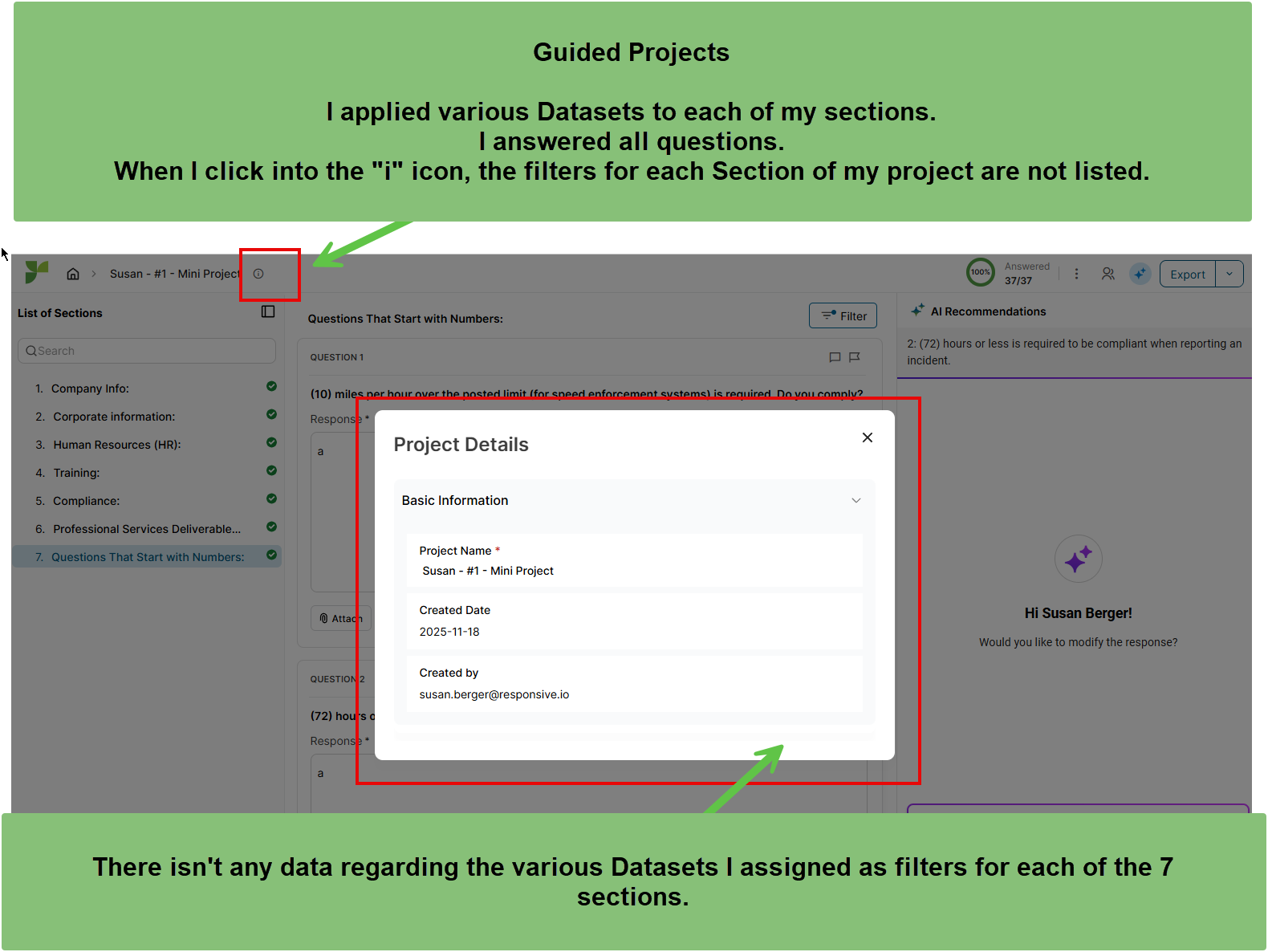
- There is no view-only capability to check how the source document was mapped or which Datasets and Advanced Search filters were applied.
- When users question an answer’s accuracy, they cannot verify whether the issue stems from mapping, applied filters, or the underlying content.
- This lack of transparency slows troubleshooting.
Proposed Enhancement
- Introduce a view-only mode in Guided Projects that allows users to see:
- How the source document was mapped by Responsive.
- Which Datasets and Advanced Search filters were applied when generating answers.
- Ensure that accessing this view does not overwrite or remove previously applied answers.
Expected Impact
- Provides transparency into how Guided Projects generated responses.
- Builds user confidence in AI-driven results and reduces unnecessary rework.
- Enables faster troubleshooting and collaboration between authors and Content Managers.
- Improves efficiency and user satisfaction as Microsoft expands Guided Projects adoption across thousands of users.
Thank you to the Product Team for your time and consideration. Please reach out if any further clarification is needed.
@Gosia Rios for visibility.