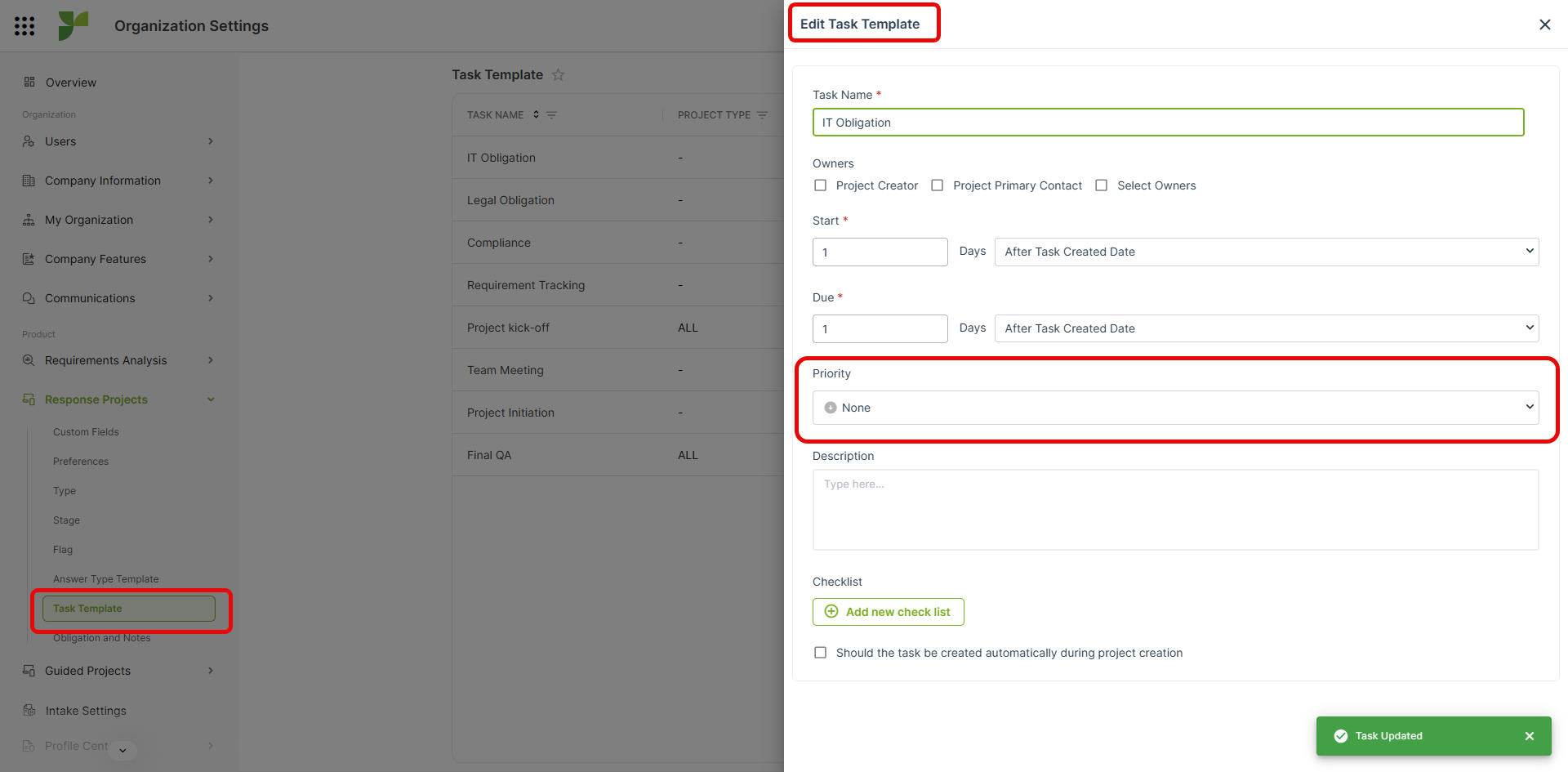
Purpose:
To provide greater flexibility and accuracy in task management by enabling users to assign individual priority levels to each task within a task template.
Currently, the system applies a single, uniform priority across all tasks in the template, which limits the ability to reflect the actual urgency and importance of individual tasks.
Background and Current Limitation:
- The existing functionality allows users to define one global priority for the entire task set.
- In practice, project workflows often include a mix of critical, high, medium, and low-priority tasks.
- Applying the same priority to all tasks can misrepresent true urgency, affecting task execution, monitoring, and resource allocation.
Proposed Enhancement:
Enable task-specific priority settings within the Task Template module by allowing users to:
- Assign a unique priority level (e.g., High, Medium, Low) to each task.
- Display the assigned priority clearly in the task list and within the template editor.
- Optionally, use color codes or icons to visually differentiate task priorities for better visibility.
Expected Outcomes:
- Improved Accuracy: Reflect the actual importance and urgency of each task in the workflow.
- Better Resource Management: Help teams allocate time and effort efficiently based on task criticality.
- Enhanced Flexibility: Allow template creators to define realistic and actionable priorities aligned with project needs.
- Clearer Visibility: Provide teams with an at-a-glance understanding of task importance in both planning and execution stages.
- Optimized Productivity: Reduce the risk of delays by ensuring high-priority tasks receive immediate attention.